
Automation decision guide
Weekly Report Automation: Cost, ROI and Payback Comparison
Compare manual weekly reporting, templates and automation. Work through setup cost, monthly fees, hours saved, ROI and payback before buying a tool.
Three options for the same weekly report
Fictional planning inputs in USD, not vendor quotes. All comparisons use a 20-hour monthly baseline and $30 hourly value, with no assumed extra revenue.
| Measure | Keep manual reporting | Standardize a template | Automate the workflow |
|---|---|---|---|
| Setup cost | $0 | $120 | $600 |
| Recurring cost / month | $0 | $0 | $60 |
| Work remaining / month | 20 hours | 14 hours | 8 hours |
| Time saved / month | 0 hours | 6 hours | 12 hours |
| Monthly net economic benefit | $0 | $180 | $300 |
| First-year net economic benefit | $0 | $2,040 | $3,000 |
| First-year ROI vs manual | Not defined | 1700.0% | 227.3% |
| Payback vs manual | Not applicable | 0.7 months | 2.0 months |
Manual work still consumes time: zero means no incremental investment or saving. Time value is not a cash-profit forecast.
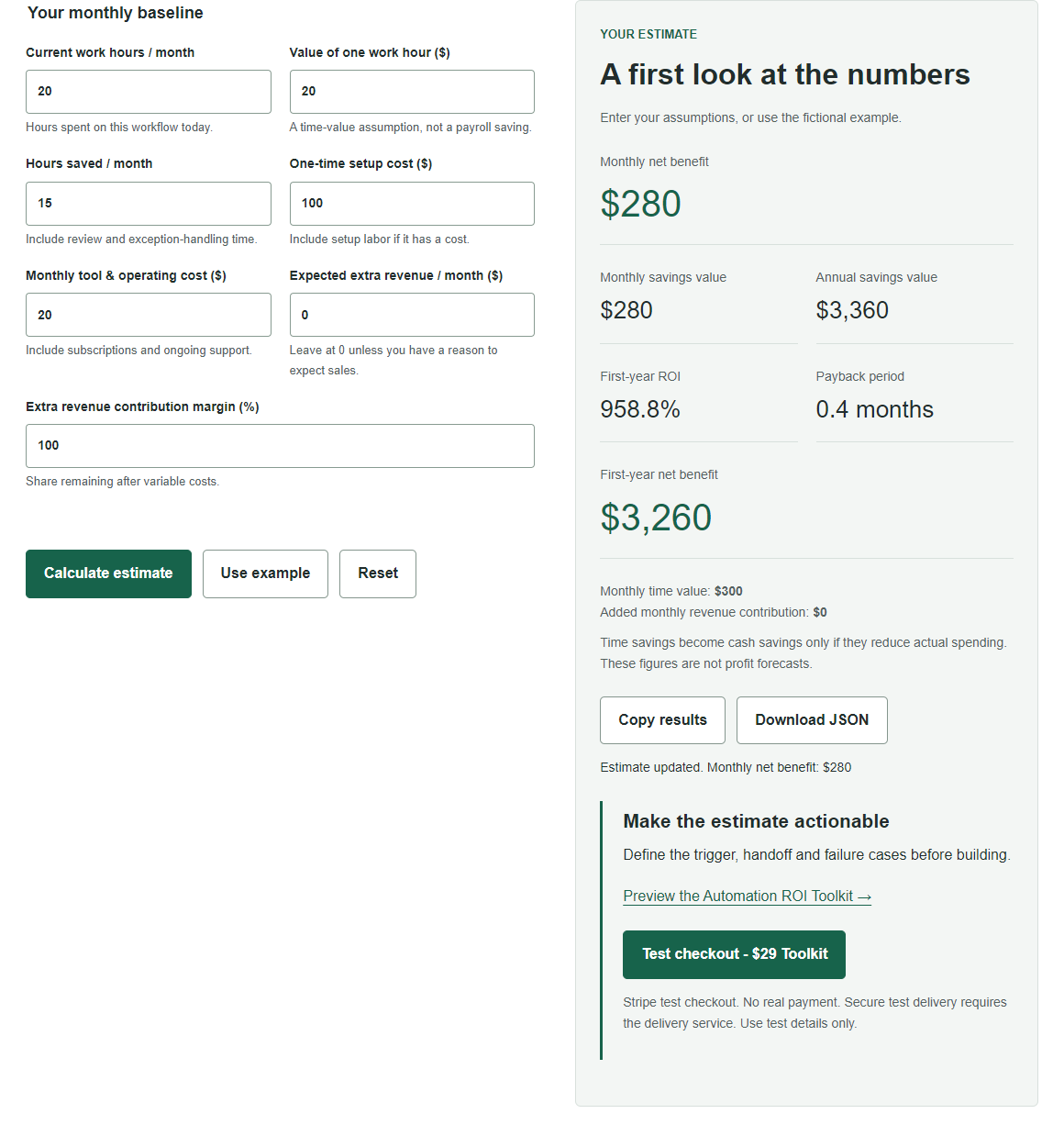
Open the automation assumptions in the free calculator. For the template option, change hours saved to 6, setup to $120 and monthly cost to $0.
Which weekly report are you buying automation for?
This comparison is for a small operations team combining order exports, checking totals and preparing an internal weekly status report. Assume four reporting cycles in a planning month, each taking five hours. A calendar year has more than 48 weeks: replace the simplified 20-hour monthly baseline with your actual average for a production budget. The examples below are fictional assumptions, not observed customer savings or quotes from software vendors.
Compare the same output and quality
Keep the report recipients, required fields and accuracy checks identical across options. The manual process needs 20 hours per month. A standardized spreadsheet template needs 14 hours; automation needs 8 hours, including review and failed imports. Time saved is the difference from the same 20-hour baseline. A report that arrives faster but has missing orders is not an equivalent output.
What the setup and recurring budgets include
The template assumes four hours of setup valued at $30, or $120, using software the team already has. Automation assumes 20 hours of configuration and testing valued at $30, or $600, plus an illustrative $60 monthly operating allowance. That allowance is a budget assumption, not a real vendor price. Obtain a quote covering connectors, task limits, seats and support before purchasing. Common existing software costs are excluded from all options; any incremental charge belongs in recurring cost.
Start with one workflow, not an entire business
Consider a fictional small team that copies order details into a weekly report. It currently spends 20 hours per month on that workflow. An automation would leave 8 hours of checking, exceptions and maintenance, reclaiming 12 hours. This is a planning example, not a customer result or a vendor benchmark. Measure your own baseline before accepting the estimate.
Put every assumption on the same monthly basis
Assume an hourly time value of $30, a one-time setup cost of $600 and monthly operating costs of $60. Set additional revenue to $0: reclaiming time does not prove that more orders will arrive. Include subscription charges and support in operating costs. If setup includes paid implementation work, include it once in setup, not again in monthly costs.
The calculation
Monthly time value is 12 x $30 = $360. Subtract $60 operating cost to get $300 monthly net economic benefit. First-year net benefit is $300 x 12 - $600 = $3,000. First-year cost is $600 + $60 x 12 = $1,320, giving ROI of 227.3%. Steady-state payback is $600 / $300 = 2 months. These are economic-value estimates before taxes, not promised profit.
What happens to cash?
If payroll and revenue stay unchanged, the 12 hours create capacity, not cash. With no spending reduction, the $60 monthly fee reduces cash by $720 in year one. The setup budget here values internal labor: it is not necessarily another cash payment. If you instead pay an external implementer $600, the year-one cash outflow is $1,320. Do not confuse those two cases. A capacity case can still be useful if the team can use those hours, but label it separately from a cost-cutting case. Do not add both hourly value and new revenue for the same reclaimed work without checking for double counting.
Test the downside before building
If only 6 hours are reclaimed, monthly benefit falls to $120, first-year net benefit to $840 and payback rises to 5 months. If only 2 hours are reclaimed, time value merely covers monthly cost; setup never pays back in this model. These two checks reveal how much the decision depends on adoption and exception rates.
The real purchasing decision: automation versus the template
The template creates $180 monthly time value and $2,040 first-year net economic benefit. Automation creates $3,000 first-year net benefit, $960 more than the template. But upgrading from the template costs another $480 upfront and $60 monthly while reclaiming only 6 additional hours. Incremental monthly benefit is 6 x $30 - $60 = $120; incremental payback is $480 / $120 = 4 months, not the 2-month payback measured against the manual baseline. First-year incremental ROI is $960 / ($480 + 12 x $60) = 80%. A large percentage for the inexpensive template does not mean it creates more absolute value.
A conservative threshold before signing up
If the automated process leaves 14 hours of work, it saves no more time than the template and adds a subscription: prefer the template. To recover the extra $480 within a six-month evaluation horizon, automation must create $80 more monthly net benefit. With the extra $60 fee and $30 hourly value, it needs at least 4.67 additional hours saved beyond the template, or 10.67 hours saved from the original baseline. This is a chosen budget threshold, not an industry benchmark.
Check one reporting cycle before committing
Record minutes for export collection, cleaning, reconciliation, formatting and approval. Then test a representative cycle offline with synthetic or authorized data. Include a missing column, duplicate order and failed import. Agree on a measurable acceptance rule: reconciled totals, no unexplained missing rows, and a report approved by its deadline. Count all repair time. Keep the manual template available for rollback; do not remove human review merely to improve the ROI estimate.
A practical decision gate
Record the baseline over representative work, count exceptions, and name who will use the reclaimed capacity. Compare the conservative case with your own cash budget and required payback horizon. Defer automation if the workflow changes every week or the conservative case loses money. The calculator helps compare assumptions; the Toolkit adds a structured decision workbook for documenting the workflow and its acceptance checks.
Turn your estimate into a decision
Try the free calculator with these assumptions, then replace them with your own numbers. No sign-up is required and calculation inputs stay in your browser.
The Automation ROI Toolkit costs $29 as a one-time purchase through Stripe, with automatic download after payment verification. Review the contents before buying; the calculator and public samples remain free.